Creating Your Account
To start using Galy, you need to create an account. The registration process verifies your email address and sets up your credentials.
Step 1: Go to the registration page
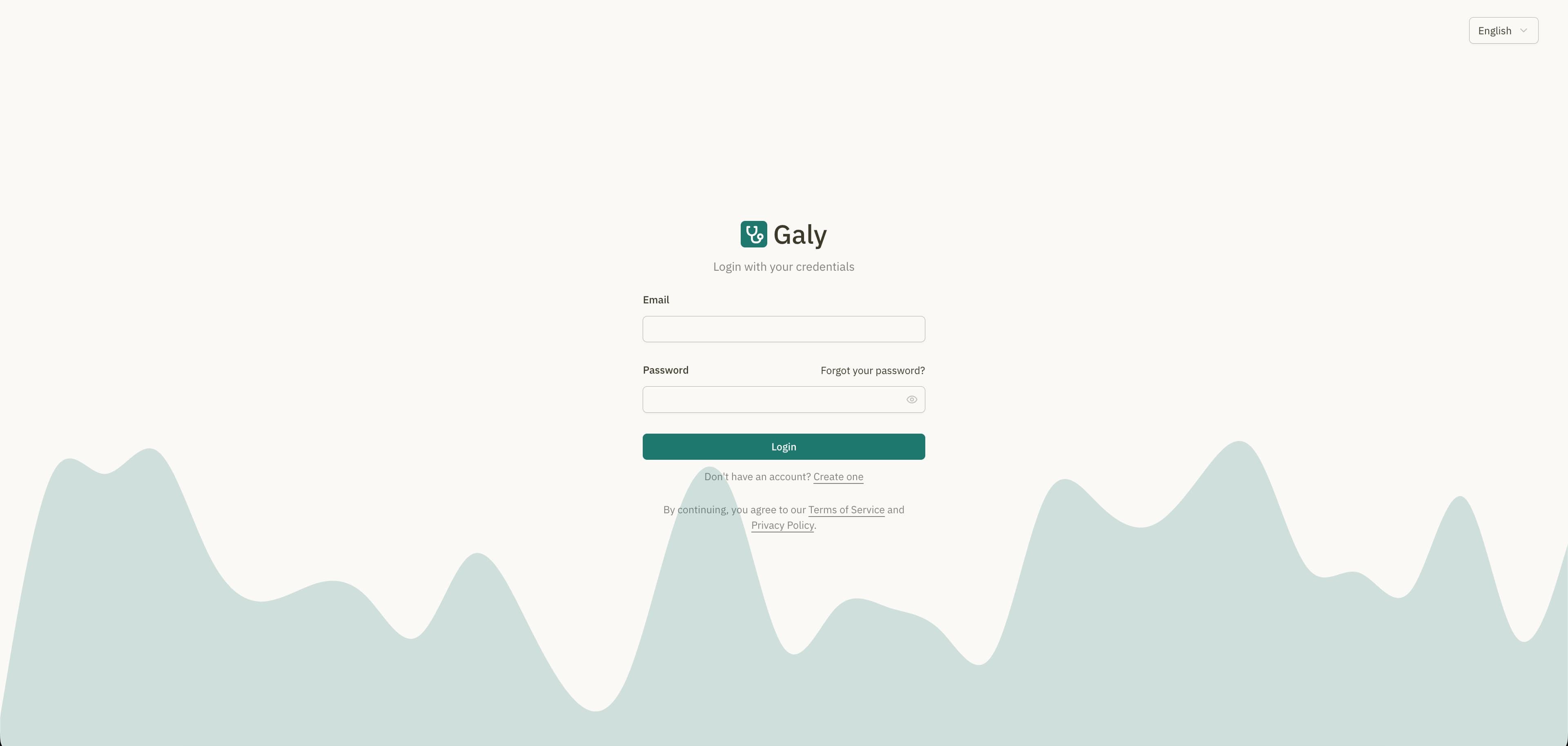
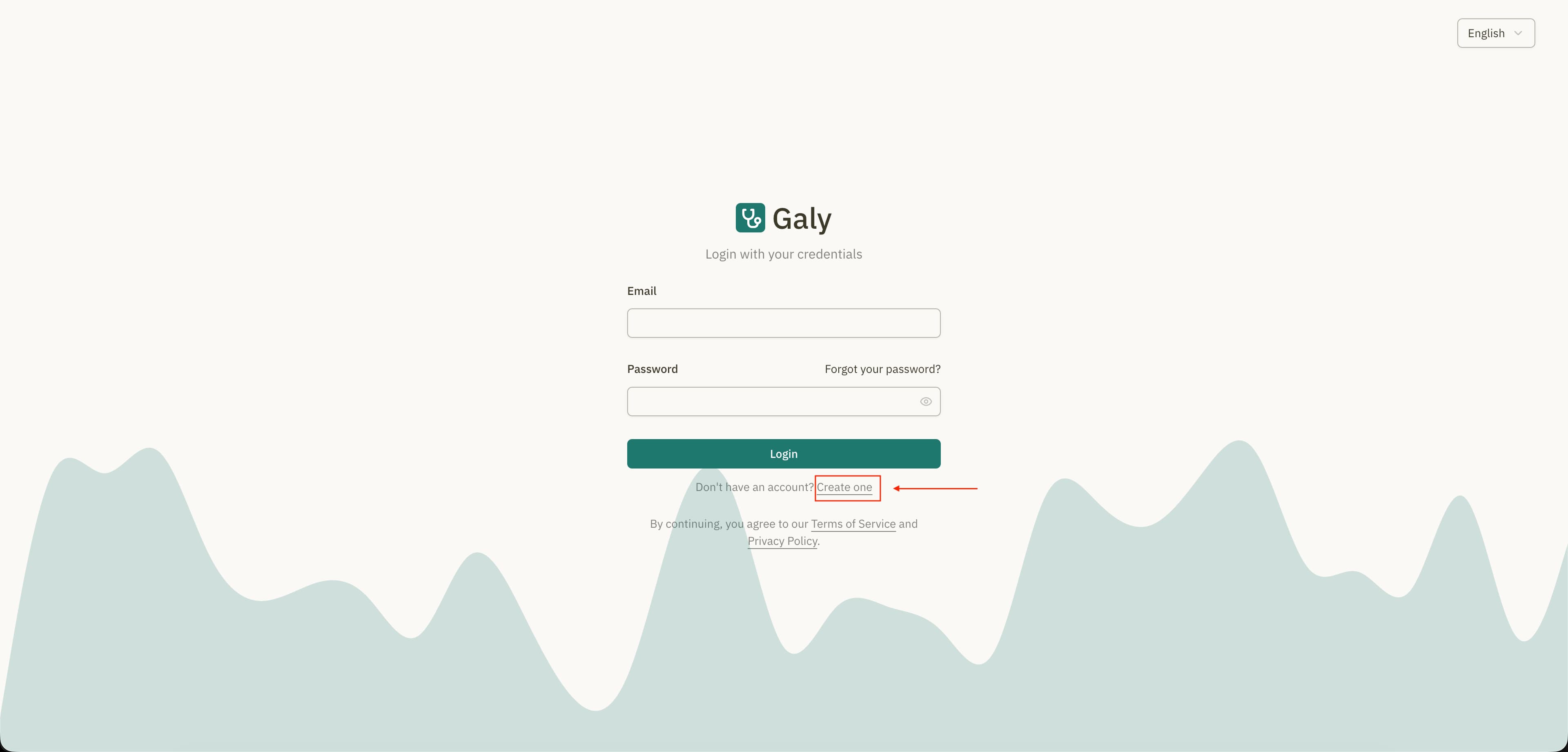
From the login page, click on "Create one" (or "Regístrate" in Spanish) to open the registration form.
Step 2: Enter your email
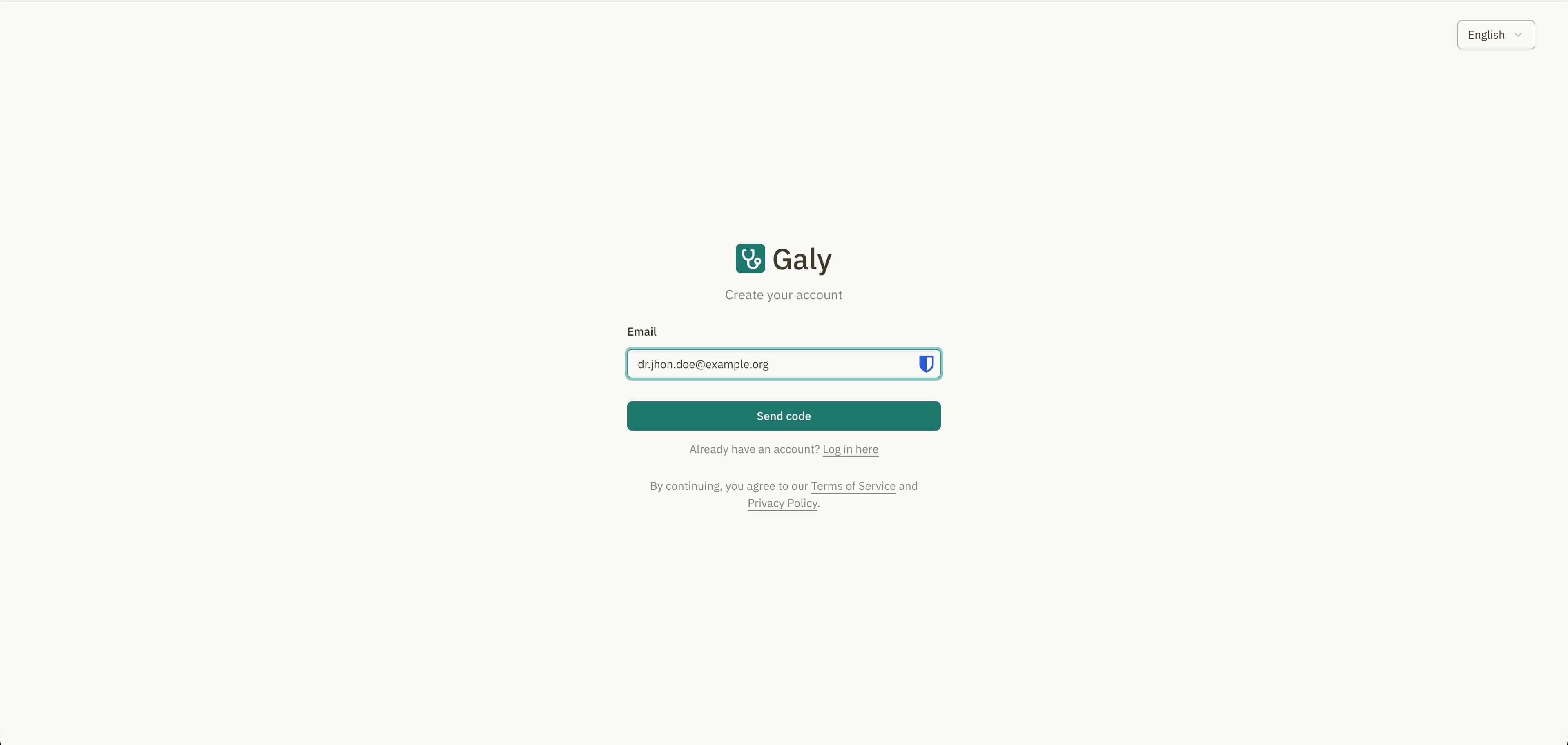
Type your email address and click "Send code". Galy will send a 6-digit verification code to your inbox.
If you don't see the email, check your spam or junk folder.
Step 3: Enter the verification code
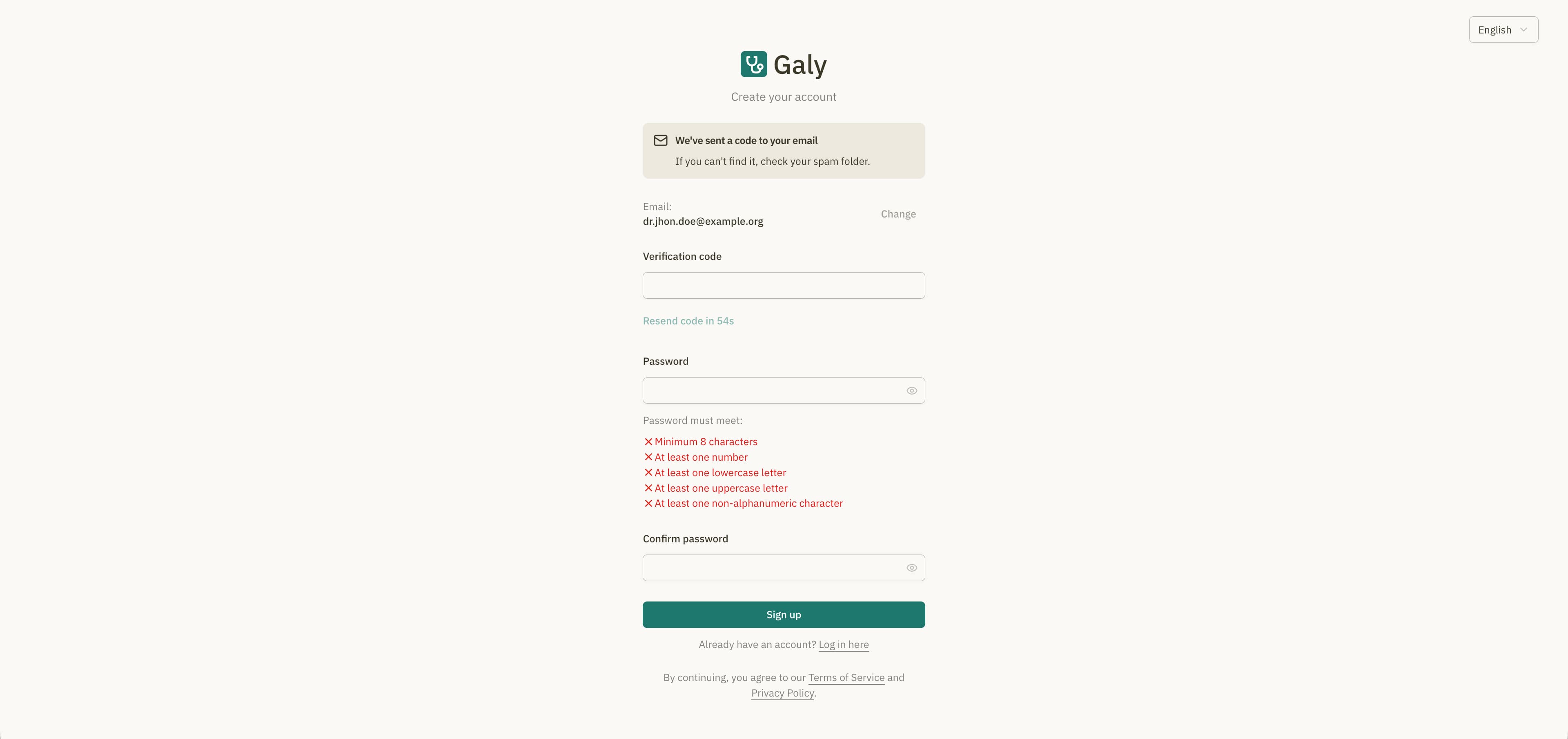
Open the email from Galy and enter the 6-digit verification code. If the code has expired, click "Resend code" to receive a new one.
Step 4: Create your password
Set a strong password for your account. Your password must meet the following requirements:
| Requirement | Description |
|---|---|
| Minimum length | At least 8 characters |
| Uppercase letter | At least one uppercase letter (A-Z) |
| Lowercase letter | At least one lowercase letter (a-z) |
| Number | At least one number (0-9) |
| Special character | At least one non-alphanumeric character (e.g., !@#$%) |
After entering your password, confirm it by typing it again in the "Confirm password" field.
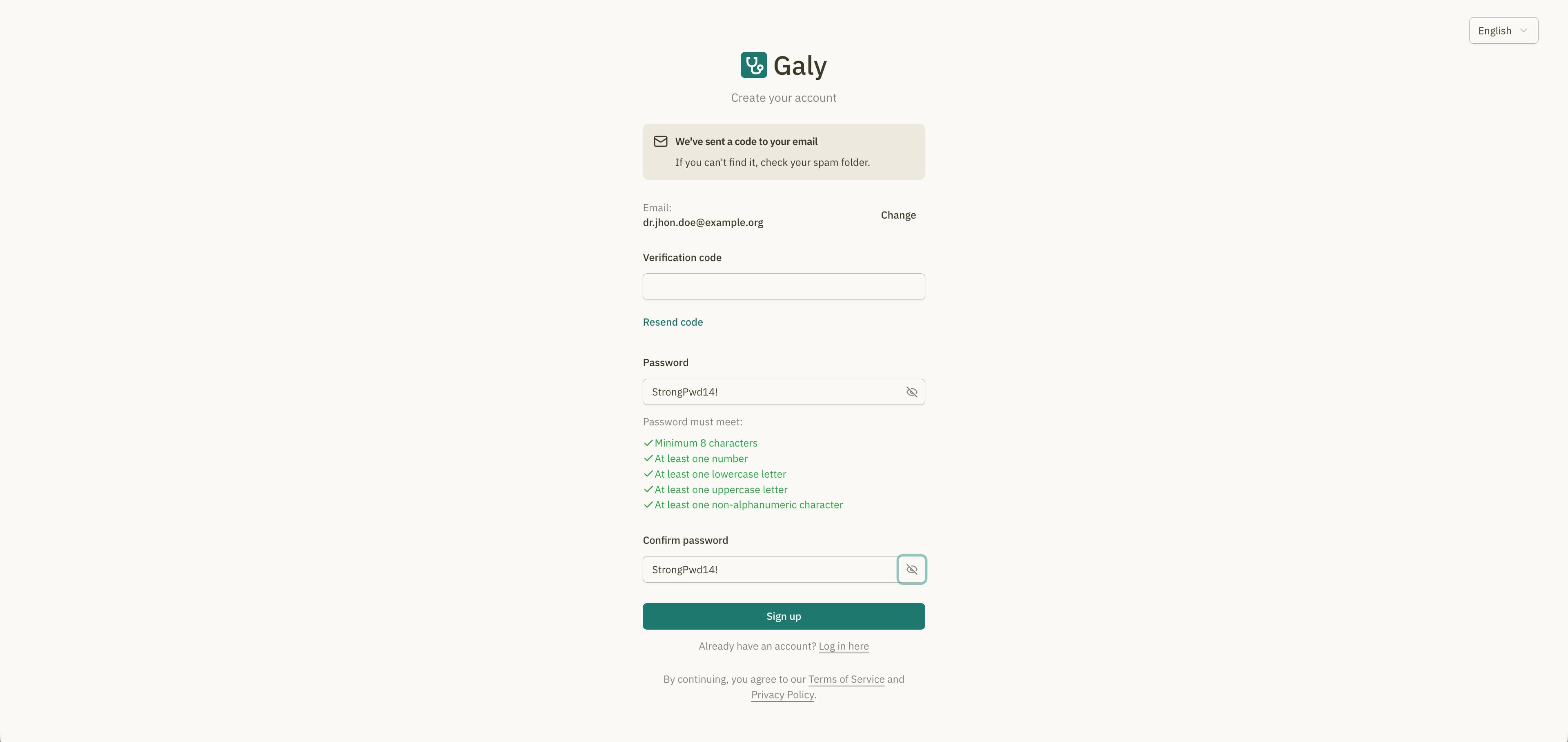
Step 5: Complete registration
Click "Sign up" to create your account. You will be redirected to the initial setup where you can complete your profile and create your medical office.
By creating an account, you agree to Galy's Terms of Service and Privacy Policy.
Recovering your password
If you forget your password, you can recover it from the login page:
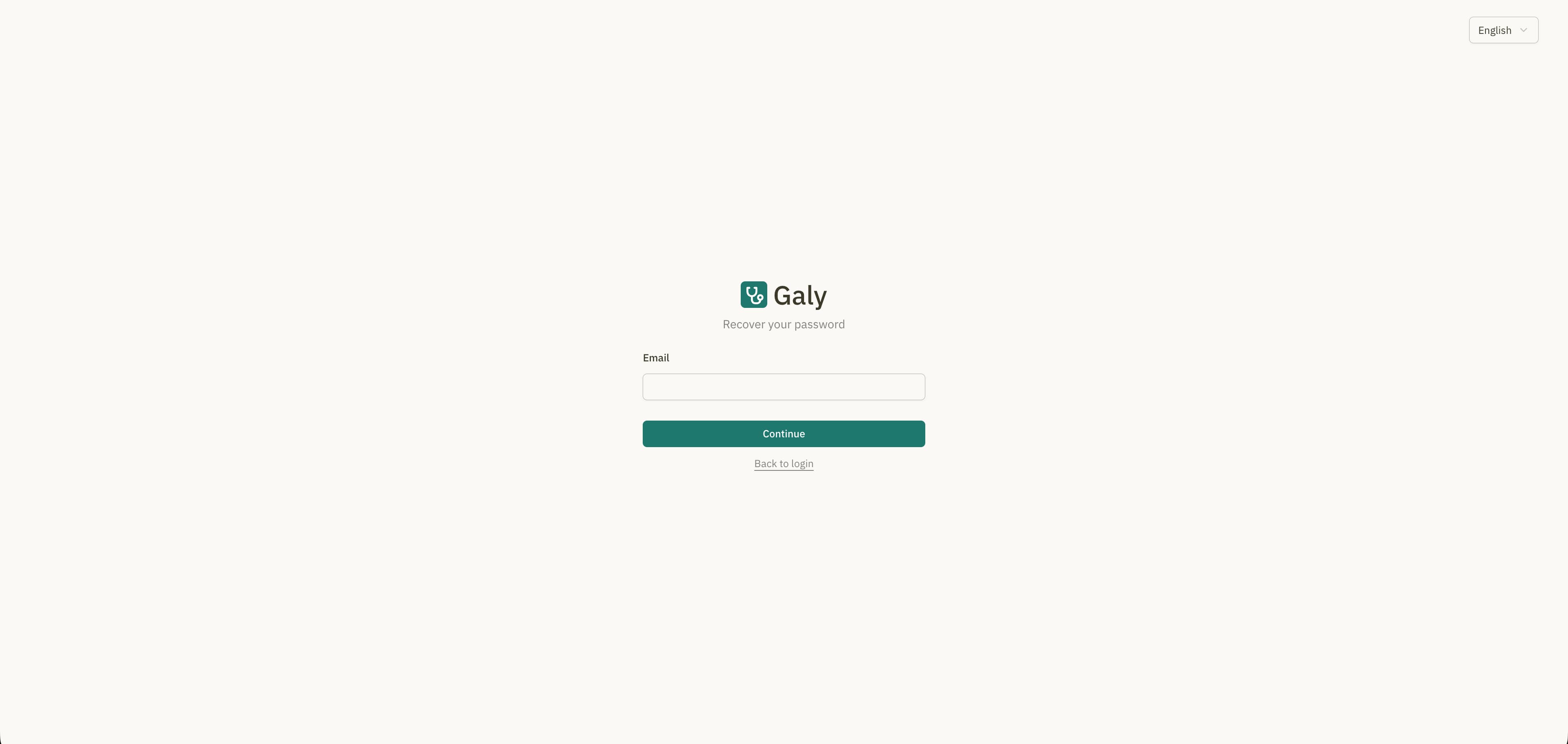
- Click "Forgot your password?" on the login page.
- Enter the email address associated with your account.
- Click "Continue" to receive a recovery code.
- Enter the 6-digit recovery code from your email.
- Set a new password following the same requirements listed above.
- Click "Reset password" to save your new credentials.
You can now log in with your new password.
Logging in
Once your account is created, you can log in at any time:
- Open the Galy login page.
- Enter your email and password.
- Click "Login".
If your credentials are correct, you'll be taken to the main dashboard.