Dashboard Overview
The Overview is the first screen you see after logging in. It gives you a quick summary of your appointments and their statuses, helping you stay on top of your daily schedule.
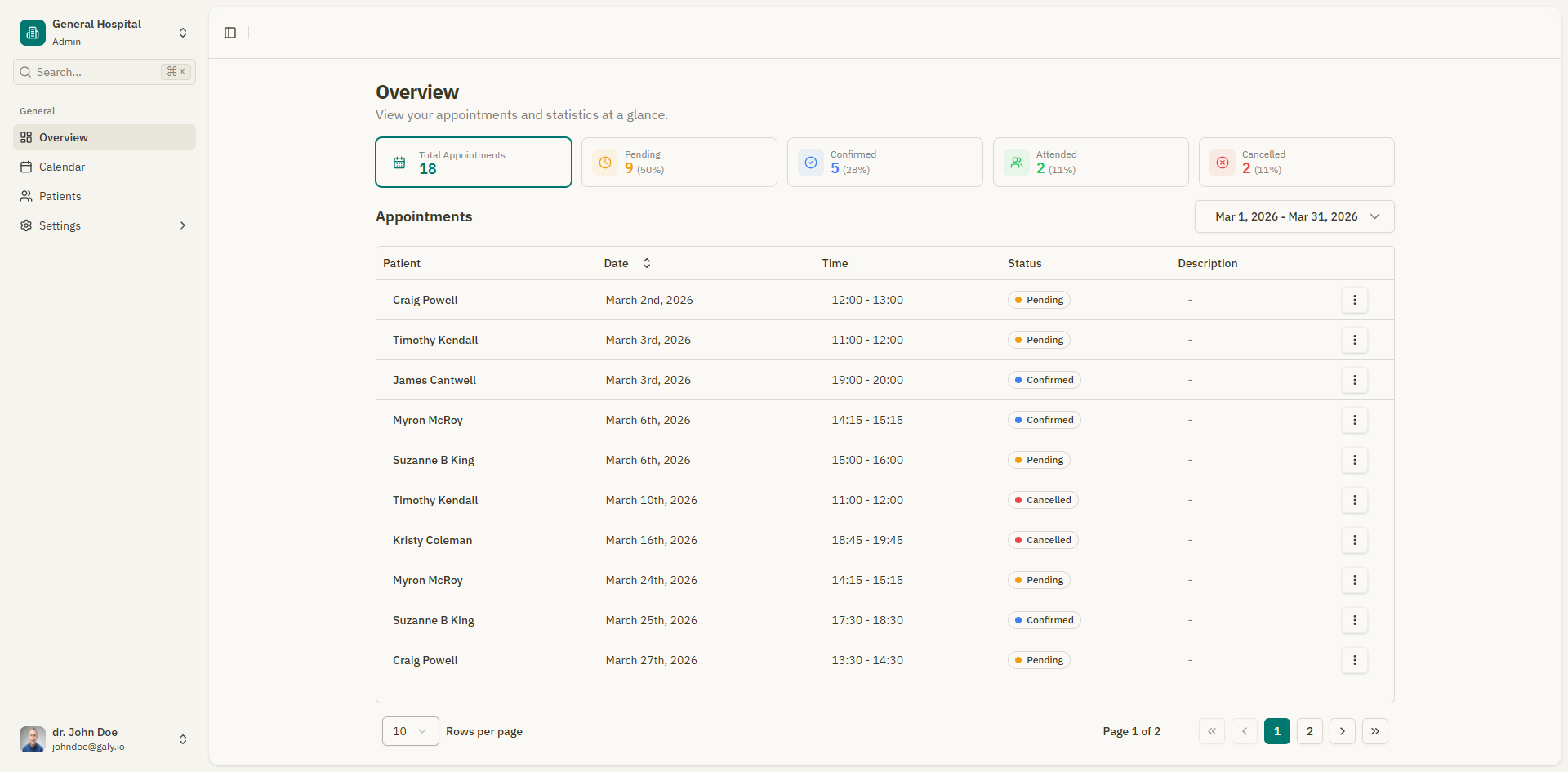
Statistics cards
At the top of the overview, you'll find four summary cards showing the count of appointments by status:
| Card | Color | Description |
|---|---|---|
| Pending | Amber | Appointments awaiting confirmation |
| Confirmed | Blue | Appointments that have been confirmed |
| Attended | Green | Appointments that have been completed |
| Cancelled | Red | Appointments that were cancelled |
Filtering by status
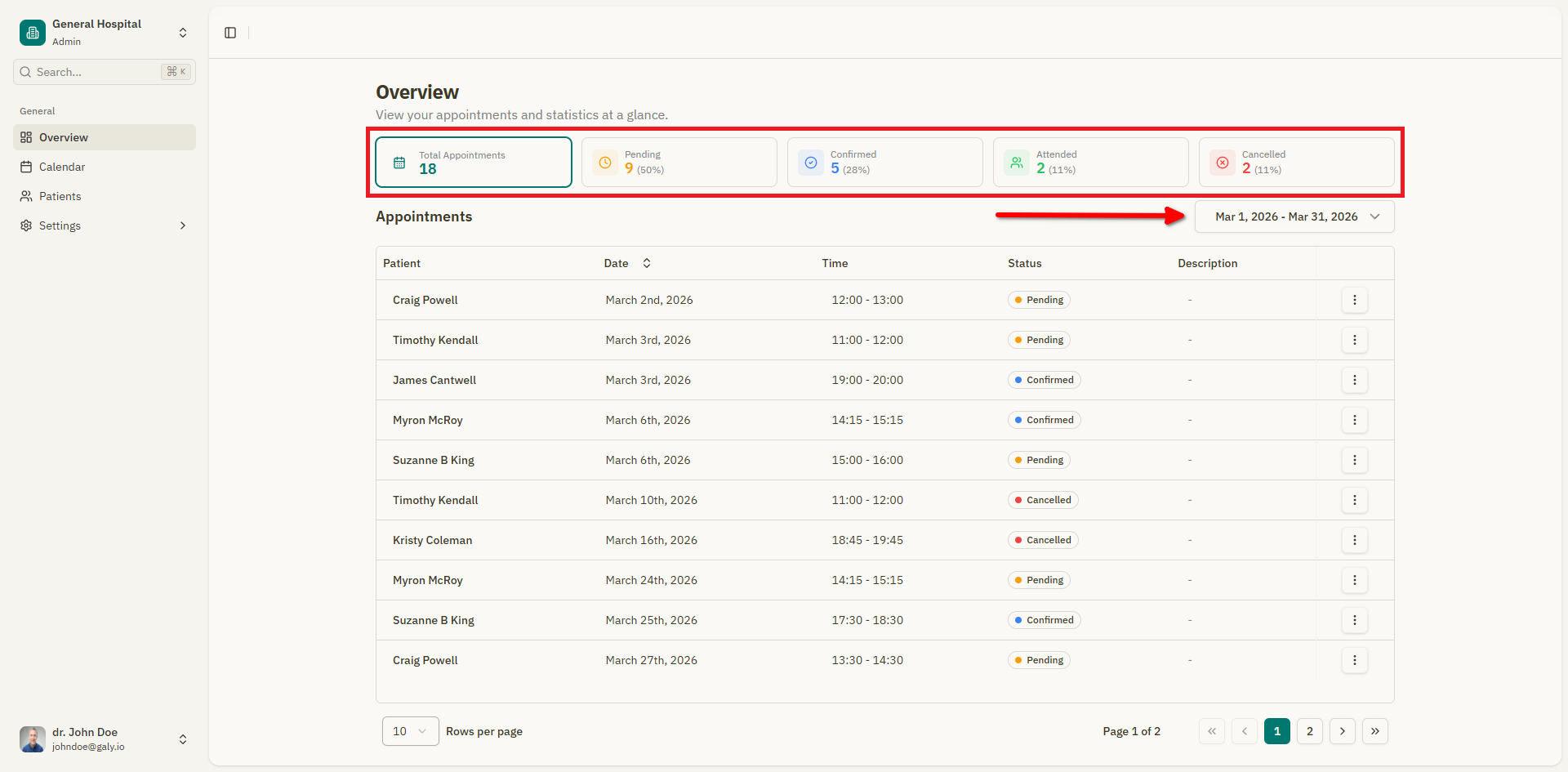
Click on any statistics card to filter the appointments table below to show only appointments with that status. Click "Show all appointments" to remove the filter.
Appointments table
Below the statistics cards, the appointments table shows a list of your appointments with the following columns:
| Column | Description |
|---|---|
| Patient | The patient's name. A "New" badge appears for first-time patients. |
| Date | The date of the appointment |
| Time | The scheduled time |
| Status | The current status (Pending, Confirmed, Attended, Cancelled) |
| Description | The reason for the visit or appointment notes |
Filtering appointments
Use the filters above the table to narrow down the list:
- From / To — Select a date range to show appointments within that period. Quick presets are available: Today, Yesterday, Last 7 days, Last 30 days, This Week, This Month, and more.
- Status — Filter by appointment status.
Pagination
At the bottom of the table, pagination controls allow you to:
- Set the number of rows per page.
- Navigate between pages using the arrow buttons.
- See the current page number and total pages.
Navigating from the overview
- Click on any appointment row to open the appointment details, where you can view the consultation editor, prescriptions, and attachments.
- Use the sidebar navigation to go to the Calendar, Patients, or Settings sections.
For a more detailed view of your schedule, switch to the Calendar where you can see appointments in month, week, day, or agenda format.